CVE-2024-47921: From a Printing System to Domain Admin - Weak Crypto in Smadar SPS
Supply chains often serve as the weakest link in advanced cyberattacks. During a security assessment for a client, we discovered how a smart printing system became a direct gateway to Domain Admin. A configuration file, a weak encryption algorithm, and a database password later - the entire domain was compromised.
Step 1: Identifying the Target
During our penetration testing, we focused on identifying sensitive systems connected to the organization’s network. We found a system called Smadar Interface, used as part of the supply chain for smart printing solutions.
Further examination revealed a configuration file sitting on the system that appeared to contain critical information - encrypted, but present.
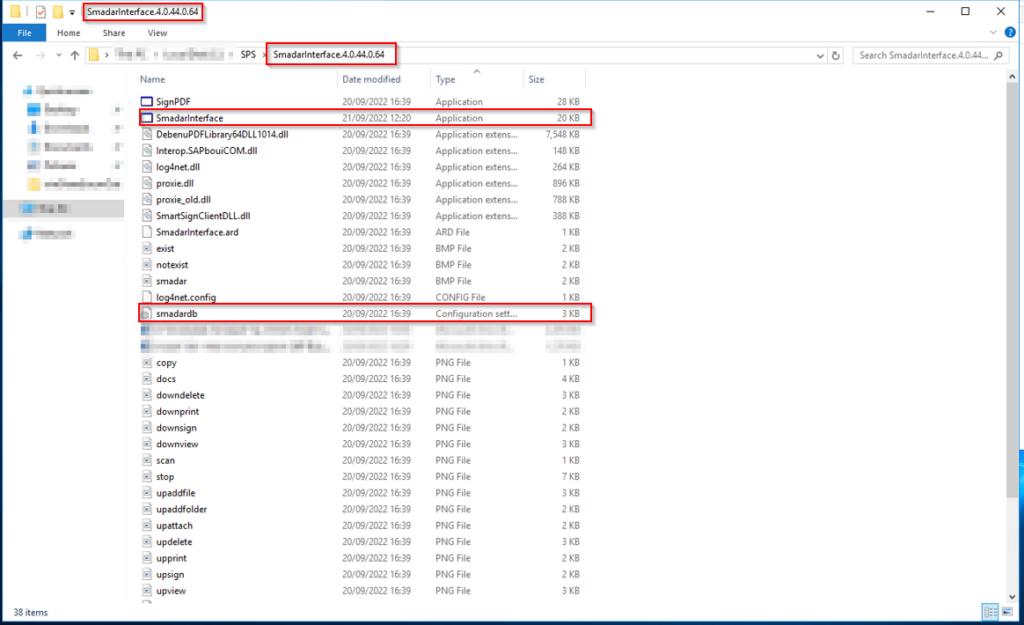
The Smadar SPS system with its configuration file containing encrypted credentials.
Step 2: Discovering Database Super Admin Credentials
A detailed look at the configuration file revealed encrypted password strings. Further investigation showed that one of these passwords belonged to a user with sa (Super Admin) privileges on an MSSQL database connected to the organization’s ERP system.
An sa account on the database server. Encrypted, but sitting right there in a config file accessible from the application directory.
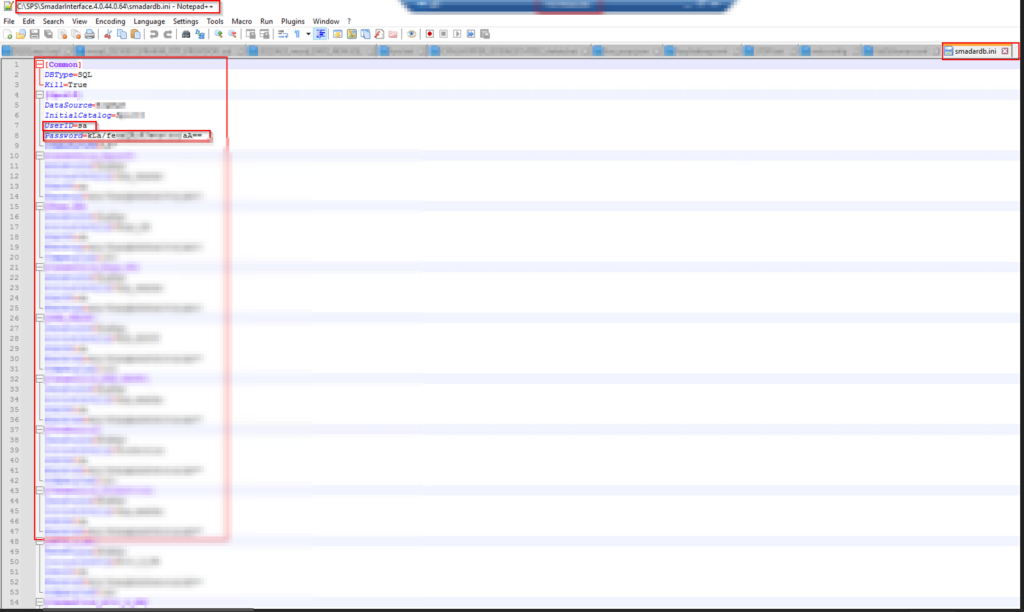
The configuration file contents - encrypted password strings including the MSSQL sa account credentials.
Step 3: Reverse Engineering the Encryption
We reverse-engineered the Smadar Interface application to understand the encryption mechanism protecting these passwords. What we found was a weak cryptographic algorithm that did not meet any modern security standard - hardcoded key, predictable IV, no key derivation function.
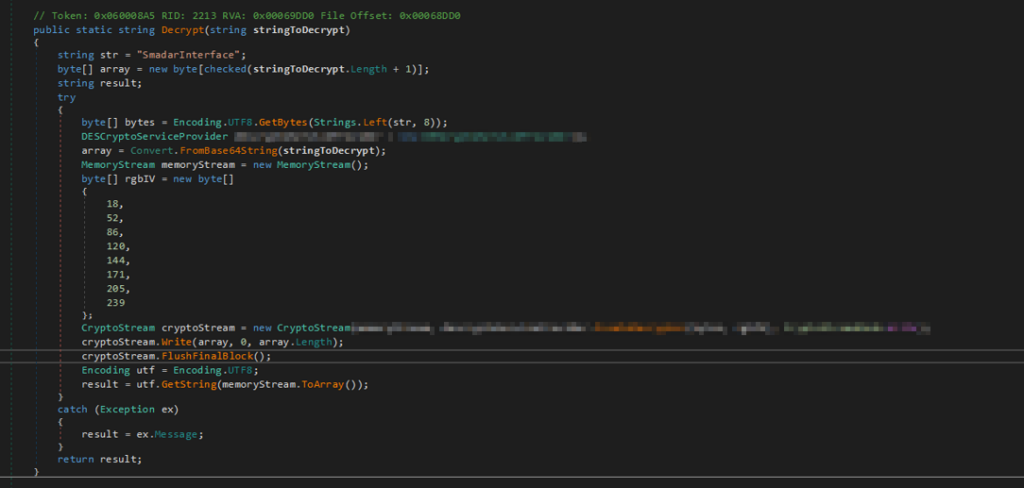
The decompiled decryption function from the Smadar application - hardcoded cryptographic values making the encryption trivially reversible.
Using the extracted encryption logic, we wrote a custom decryption script that recovered the plaintext passwords from the configuration file.
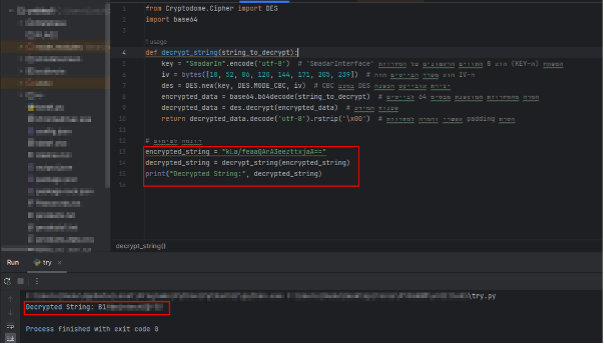
Our decryption script successfully recovering the plaintext database credentials.
Step 4: Game Over
With the decrypted sa password, we connected to the MSSQL server with Super Admin privileges. From there, gaining full control of the network was straightforward:
- MSSQL sa access - Full control over the database server
- xp_cmdshell - Execute operating system commands directly from the database
- Domain escalation - From OS command execution to Domain Admin
Complete domain takeover. Starting from a printing system.
Impact
This vulnerability demonstrates a full attack chain from a supply chain application to total domain compromise:
- Credential exposure - Database sa credentials stored in a reversible format
- Weak cryptography - The encryption algorithm is trivially breakable through reverse engineering
- Domain takeover - sa access to MSSQL leads directly to OS command execution and domain escalation
- Supply chain risk - A third-party printing system became the entry point to the entire corporate network
Key Takeaways
Supply chain systems are attack surface. Every third-party application connected to your network is a potential entry point. A printing system should never store database credentials with sa privileges.
Encryption is not security by obscurity. Using a weak or custom encryption algorithm with hardcoded keys is equivalent to storing passwords in plaintext. If an attacker can reverse-engineer the application, the “encryption” provides zero protection.
Least privilege matters. A printing system has no business connecting to a database with sa privileges. Service accounts should have the minimum permissions required for their function.
Advisory
- ILVN-ID: ILVN-2024-0214
- CVE-ID: CVE-2024-47921
- Affected Products: Smadar SPS version 4.0.44.0.64
- Credit: Moriel Harush
- Solution: Upgrade to version 5.0 or later